 Code Editor
User guideCode Editor for Mac
Debug a Python script
Pause inside the sample script and follow a value into a function.
Set the first breakpoint
- In the sample project open
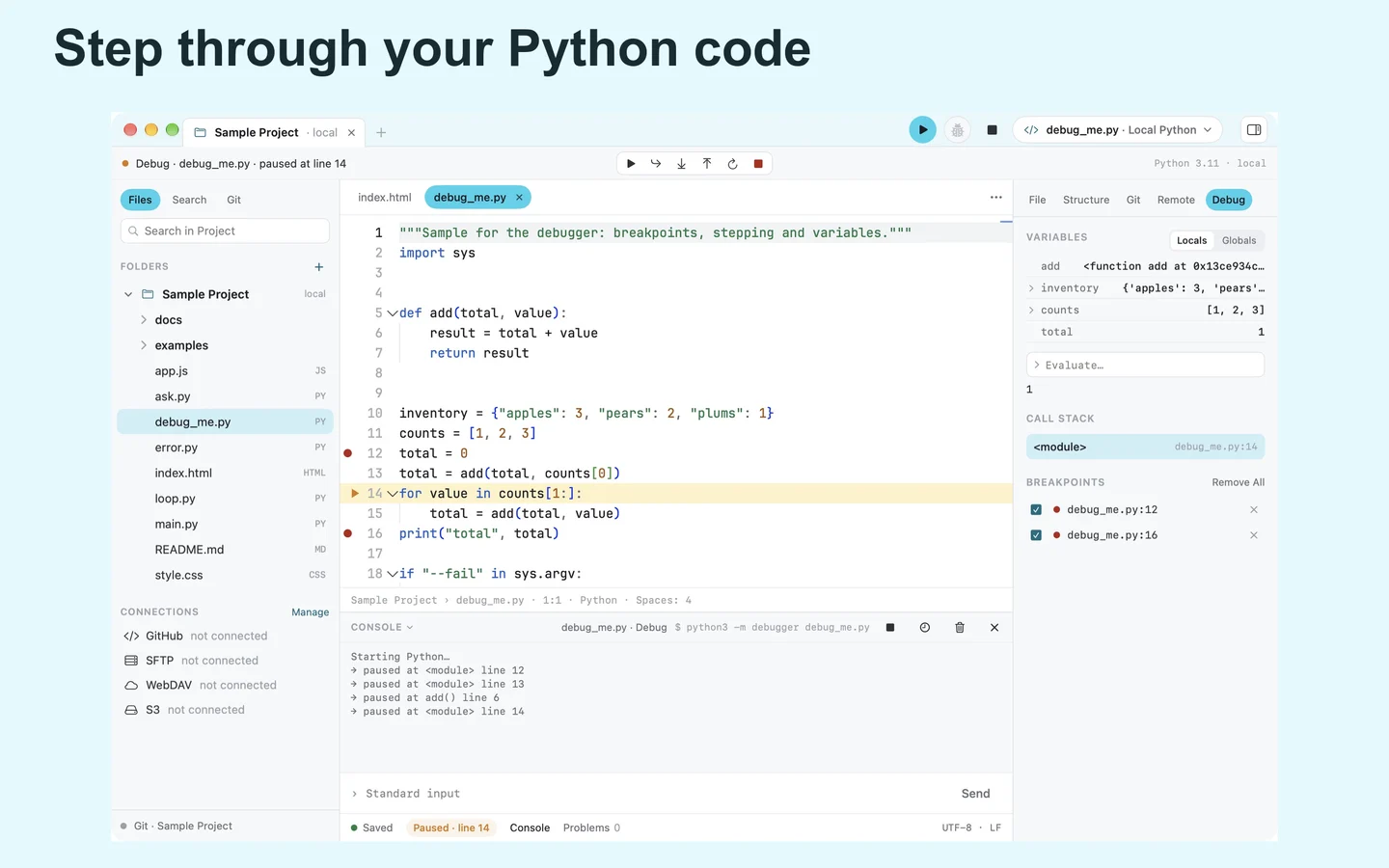
debug_me.py. Findtotal = add(total, counts[0])and click in the margin beside that line. A breakpoint marker appears. - Select the Local Python configuration for
debug_me.py, then click Debug or press ⇧⌘R. Execution pauses before that assignment. - In the Debug inspector, inspect Variables. At this point
totalis 0 andcountscontains 1, 2 and 3.
Follow the value through the call
Press Step Into (F7) to enter add. Check the arguments total and value. Step Over (F6) executes the assignment to result. Step Out (F8) returns to the caller. To run the call as a single operation instead, use Step Over on the original assignment.
Choose Continue to reach the next breakpoint or finish the script. With the sample’s default arguments and no further breakpoints, Console ends with total 6 and done 3.